
How To Create A Camp Countdown Calendar
Camp countdown calendar: printable or digital daily tasks to cut pre-camp stress, boost excitement and simplify packing, forms, and readiness.
Camp Countdown Calendar
A camp countdown calendar is a visual timeline—physical, digital, or hybrid. It counts down the days to camp and assigns a short task, reminder, or activity to each day. This cuts pre-camp stress, builds excitement, and boosts readiness. Pick a 30-, 14-, or 7-day plan that fits your prep needs. Choose a format that suits your audience. We recommend combining visible progress tracking with simple daily tasks, automated reminders, and small celebrations to raise completion and engagement. Always include a printable option.
What it is
A countdown calendar assigns a bite-sized task to each day leading up to camp—forms, packing steps, health checks, or practice skills—so families feel prepared without being overwhelmed.
Choose a timeline
Select a timeline based on your goals and how much time families realistically have:
- 30 days — Gradual skill-building, shopping, and pacing of tasks.
- 14 days — Focused on paperwork, health checks, and confirmations.
- 7 days — Final packing, last-minute checks, and mindset prep.
Choose a format
Match the calendar format to your audience and distribution method:
- Printable posters or magnetic boards for young campers and families who prefer tactile reminders.
- Combined checklists plus email for caregivers who want reminders and record-keeping.
- Smartphone widgets or apps for teens who prefer digital, on-the-go prompts.
- Hybrid options that pair a printable with automated SMS or email reminders.
Design and production
Keep the design simple and durable. Use one clear daily action and make completion visible. Production tips:
- Use cardstock with lamination for reusable physical calendars or reusable digital templates.
- Automate reminders via email or SMS where possible.
- Export print files at 300 DPI CMYK with bleed for professional printing.
Engagement and tracking
Measure impact without collecting unnecessary sensitive data:
- Track downloads, email and SMS engagement, checklist completion, and social shares.
- Don’t collect sensitive data you don’t need; secure any data you keep.
- Use small celebrations or rewards to boost completion and engagement.
Privacy and accessibility
Follow best practices for privacy and accessibility. Prioritize strong contrast, readable fonts, alt text for images, and mobile-friendly layouts. Clearly state what data you collect and why, and secure stored information.
Key Takeaways
- Define the calendar as a visual countdown that assigns a bite-sized task to each day to cut pre-camp stress and sharpen paperwork, packing, and skills readiness.
- Choose a timeline that fits your goals: 30 days for gradual skill-building and shopping; 14 days for forms and health checks; 7 days for packing and final checks.
- Match format to the audience—printable posters or magnetic boards for young campers, combined checklists plus email for caregivers, smartphone widgets or apps for teens—and always include a printable option.
- Keep the design simple and durable. Use one clear daily action, choose cardstock with lamination or reusable digital templates, automate reminders, and export print files at 300 DPI CMYK with bleed.
- Track engagement through downloads, email and SMS engagement, checklist completion, and social shares. Don’t collect sensitive data you don’t need and secure what you keep. Follow accessibility standards: strong contrast, alt text, and mobile-friendly layouts.
https://youtu.be/seKxX3KbGYw
What a Camp Countdown Calendar Is and Why It Works
We, at the young explorers club, define a camp countdown calendar as a simple visual timeline — physical or digital — that counts down days until camp and pairs each day with a task, reminder, activity or engagement prompt. It gives families clear, bite-sized actions instead of a last-minute scramble. I use it to reduce pre-camp stress, build excitement, and improve readiness for paperwork, packing and skills.
A countdown has three primary goals:
- Reduce pre-camp stress by spreading tasks over days.
- Build anticipation and positive emotion before departure.
- Improve camp readiness for forms, gear and skills.
Recommended lengths fit common prep cycles. Use a 30-day plan for gradual prep, a 14-day plan for final logistics, or a 7-day plan for last-minute checks and hype. We model each camp countdown calendar on those options to match different family rhythms. For practical help on what to pack and check, see our pre-camp checklist.
Recommended lengths and emphasis
Use these simple daily focuses to structure the calendar:
- 30-day: Skills practice, gear shopping, labeling, habit formation. This longer span lets you pace purchases and introduce simple drills or routines.
- 14-day: Forms, health checks, final labeling and focused packing. This window is ideal for medical forms, immunizations and confirming travel plans.
- 7-day: Packing, final checks and excitement builders like scavenger lists or journaling prompts. This brief course turns anxiety into action and fun.
30-day | 14-day | 7-day → Skills & gradual prep / Forms, labels & health checks / Packing, final checks & excitement.
Psychology and evidence
Breaking prep into daily steps taps into habit formation and the Zeigarnik effect — unfinished tasks push kids and parents to follow through. Small, daily wins create micro-rewards that boost motivation and strengthen routine. Anticipation itself raises wellbeing, a pattern reported in the Journal of Positive Psychology. Visual progress-tracking also helps: visual content drives engagement, with visual posts generating about 2.3× more engagement than text-only posts, according to HubSpot. That explains why a visible calendar on a fridge or shared photo in a family chat keeps everyone aligned.
I recommend combining a visual countdown with a short daily action and a tiny celebration for completion. That simple loop reduces anxiety, increases camp readiness and turns the summer camp countdown into something the whole family looks forward to.
Quick Start: Choose Your Format (Physical, Digital, or Hybrid)
We, at the Young Explorers Club, pick a countdown format by matching it to who will use it. Start simple: decide whether your family prefers something tactile at home, a portable digital reminder, or a mix of both.
I’ll describe the common formats and when they shine. Physical options include a printable poster, magnetic board with stickers, or a paper tear-off calendar. Digital choices cover a smartphone widget or app, an email series, social media countdowns, and interactive PDFs. Use the keywords printable countdown, digital countdown app, or hybrid countdown when planning materials so your team stays consistent. If you want to build buzz before departure, try a printable poster and sticker set — they work great to build excitement at home.
Decision matrix: audience → best format → pros / cons
-
Families with young campers: magnetic board + printable stickers.
- Pros: tactile engagement; highly visible in the home.
- Cons: less shareable; requires manual updates.
-
Parents / primary caregivers: hybrid (printable checklist + email series).
- Pros: tactile checklist at home plus timed digital reminders; reduces forgotten items.
- Cons: needs initial setup to sync printable and email cadence.
-
Teens: digital (smartphone widget/app + social media stories).
- Pros: portable and shareable; fits daily habits.
- Cons: risks screen fatigue.
- Note: Approximately 95% of teens have access to a smartphone (Pew Research Center), which supports recommending digital formats for this group.
-
Camp staff / administrators: digital project boards (Trello/Asana) + email/SMS workflows.
- Pros: team coordination, shareable and trackable tasks.
- Cons: steeper learning curve for some staff.
I keep accessibility front of mind. Always offer a printable alternative for families without reliable internet. Pair any digital template with a printable checklist or poster so no one’s left out.
Practical setup tips I use:
- Start with your audience, then pick one primary format and one secondary.
- Limit clutter: one clear daily action or sticker per day works better than long entries.
- Automate where you can: schedule email reminders or set recurring widget alarms.
- Test with one household or staff team before rolling out broadly; adjust based on feedback.

Create It: Tools, Materials, Design & File Specs
We, at the young explorers club, recommend a mix of sturdy physical supplies and flexible digital tools so the countdown feels fun and reliable. Choose cardstock first: 8.5"x11" or 11"x17" for home prints, and 24"x36" if we want a large poster that reads across a room.
Keep the physical setup simple and durable. A laminator plus dry-erase markers makes reusable squares. Magnetic strips or self-adhesive Velcro let the calendar live on a fridge or metal board. Clothespins, stickers and tear-off squares add tactile joy for younger campers. Pair the physical calendar with digital reminders to build excitement leading up to departure.
Use professional design apps when precision matters. Canva templates speed creation for beginners, while Adobe Illustrator or Photoshop give full control over layout and vector assets. Procreate works well for hand-drawn elements on iPad. Cricut Design Space is ideal if we plan die-cut shapes or adhesive numbers.
Sync the countdown with these digital organizers and apps:
- Google Calendar and Apple Calendar for automated alerts.
- Notion or Trello when we want checklist-style prep alongside dates.
- Countdown+ Widget, Big Day / Event Countdown apps, and TimeTree for visible mobile timers.
Send automated campaign reminders through platforms like Mailchimp, Constant Contact, Twilio (SMS) or Sendinblue to reach parents or guardians reliably.
Quick materials, software and file specs
- Physical materials: 8.5"x11" or 11"x17" cardstock; 30 tear-off squares at 2"x2" (or 1.5"x1.5" for compact layouts); laminator; dry-erase markers; magnetic strips or self-adhesive Velcro; clothespins & stickers.
- Design software: Canva, Adobe Illustrator, Adobe Photoshop, Procreate (iPad), Cricut Design Space.
- Digital tools/apps: Google Calendar, Apple Calendar, Notion, Trello, Countdown+ Widget, Big Day / Event Countdown apps, TimeTree.
- Reminders & comms: Mailchimp, Constant Contact, Twilio (SMS), Sendinblue.
- Print-prep specs: Export print files at 300 DPI, CMYK, with 0.125 in bleed for professional printing. Use 300 DPI for any final print output.
- Common final sizes: 8.5"x11" (home print), 11"x17" (poster), 24"x36" (large poster).
- Cutting/tear-off specs: For a 30-day calendar, prepare thirty 2"x2" squares; reduce to 1.5"x1.5" if space is limited.
- Digital export: create web PNG/JPEG at 72–150 DPI in RGB; export animated GIFs from Canva for social stories; supply mobile-optimized PNGs for phone backgrounds.
We keep files organized with clear layer names and a print-ready PDF plus a web-ready PNG/JPEG. That lets us produce a printable countdown calendar and link it to a countdown app or social story in minutes.

What to Put in Each Day/Tile + Ready Templates
Day-by-day tile content (30-day grouping)
We, at the young explorers club, break the month into four blocks so families focus on the right things at the right time. Each tile serves a clear purpose: gear/packing, camp paperwork & health, skills practice, camp activities and traditions, or a mini-challenge that builds confidence.
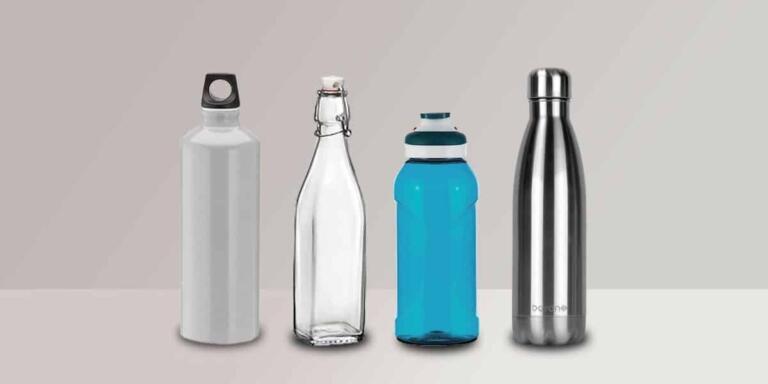
- Day 30–21: purchase and label. Use tiles for last-minute shopping (sleeping bag, water bottle), tag items with name tapes and add a reminder to check immunizations. See tips on how to build excitement while you shop.
- Day 20–11: skills and forms. Schedule short practice sessions (swimming, tent set-up), collect and photocopy camp paperwork, and confirm meds and vaccine dates. Refer to the first-time camper guide for form checklists and how to prepare emotionally.
- Day 10–4: packing and staged checks. Run a full packing rehearsal using a packing checklist: lay out outfits, rain gear, and a labeled kit for toiletries. If labels are new to you, the guide on how to label belongings will save time.
- Day 3–1: final prep and confidence boosts. Pack a day bag, confirm travel plans, charge devices, and run a short skills rehearsal. Use short, fun tiles to remind kids about camp songs or traditions and to help them handle pre-camp anxiety and build a positive outlook with positive attitude training.
Include these short prompt examples on tiles to encourage action:
- Day 14: “Practice setting up a tent in your backyard—take a photo.”
- Day 7: “Label every item—use laundry-safe name tapes.”
- Day 3: “Pack a day bag with water bottle, sunscreen and a small first-aid kit.”
Printable templates & ready files
I offer three easy templates you can drop into print: a 30-day grid (6×5) for a full-month view, a 14-day tear-off strip ideal as a countdown ribbon or tear-off calendar, and a 7-day magnet checklist for the fridge. Each template is formatted so you can add icons for camp activities, a mini-challenge, or a photo prompt. You can also pair a tile with quick journaling prompts to help kids journaling prompts and later document camp experience.
I provide at least one free printable: an 8.5″x11″ 300 DPI PDF of the 7-day magnet checklist ready to download as a printable camp countdown. Paste this exact 7-day checklist into your layout:
- Day 7 — Confirm arrival time & print itinerary
- Day 6 — Pack sleeping gear (pillow, sleeping bag) and label
- Day 5 — Complete and photocopy health form + meds list
- Day 4 — Pack clothing (day/night layers) and rain gear
- Day 3 — Practice any activity-specific skills (swimming/biking) for 20 minutes
- Day 2 — Lay out outfits & check footwear
- Day 1 — Final pack, charge devices, place travel snacks, attach name labels
Keep the printable simple and laminated for reuse. For packing specifics see our guide on what to pack, and for prepping nerves check the piece on how to manage expectations. These templates pair perfectly with a packing checklist, camp paperwork reminders, and a fun tear-off calendar to make departure day smooth.

Distribute, Engage & Gamify (Notifications, Promotion & Social)
We, at the young explorers club, roll out the countdown across every channel parents and campers use most. Deploy the calendar via camp email newsletter, social media, registration confirmation pages, in-person orientation and community partners or schools. Launch the campaign 30–60 days before camp, then concentrate the social push in the final 14 days to maximize sign-ups and shares.
Choose notification types that match audience habits: calendar invites (Google/Apple) for families who plan, a daily email series for detailed prompts, SMS reminders for last-minute nudges, countdown widget apps for website embeds and social stories for visual momentum. For cadence, release daily tiles for 14–30 day formats and switch to bi-daily tiles for longer timelines. Always include unsubscribe links in emails and require explicit opt-in for SMS.
I track performance against standard benchmarks so I know what to expect. Email open rates hover around ~21% (Mailchimp). SMS open rates approach ~98% (industry benchmarks). Visual posts get about ~2.3× more engagement than text-only posts (HubSpot). Use those figures to weight spending: lean into stories and image posts when you want shares and engagement.
I promote the calendar in ways that spark participation. Integrate a countdown widget on the registration page, push a daily email series with a new activity prompt, and send brief SMS reminders on high-impact days (Day 14, Day 7, Day 1). Link community partners into the schedule so schools and local orgs amplify the message. To further build momentum, follow the practical guidance on how to build excitement before camp departure: build excitement.
5-step mini-gamification plan
- Create badges for milestones (Sign-up, Day 14, First Photo).
- Track progress with a printable sticker chart or a digital tile that updates as families complete tasks.
- Encourage photos with the camp hashtag and run a weekly photo challenge for a specific theme.
- Hold a weekly prize drawing from submissions to keep momentum high.
- Highlight winners in the camp newsletter and social stories so participants feel seen.
I recommend these gamification tactics: badges, stickers, photo challenges, scavenger hunts and prize draws. Use a consistent camp hashtag and prompt families to post — a sample CTA works well: “Post a tent-pitch photo with #CampNameCountdown by Day 14 to enter a gift pack drawing.” Track entries, publish winners and rotate challenges to keep engagement fresh and to promote the countdown across platforms.

Measure Success, Privacy, Accessibility & Troubleshooting
KPIs, benchmarks and tracking setup
Track these KPIs to judge whether your camp countdown calendar is working and where to improve:
- Downloads/prints
- Email open rate (benchmark: 20–25%)
- Email click-through rate (CTR) (benchmark: 2–3%)
- SMS open/response rate (benchmark: ~90–98%)
- Social shares / hashtag uses
- Checklist completion rate (self-reported)
- Sign-ups / registrations
Instrumenting these metrics is simple and practical. Add UTM parameters to every link in emails and social posts so you can trace conversions back to the calendar. Use Mailchimp (or your equivalent) reports to monitor email open rate and CTR. Pull SMS deliverability and response logs from Twilio (or your provider) to measure SMS engagement. Collect checklist completion and photos with a lightweight Google Form so families can self-report progress. We recommend tying prints/downloads to a hidden form field or UTM so you can separate organic traffic from campaign-driven downloads.
Aim for the stated benchmarks but watch trends more than absolutes. A dip in email open rate can mean subject lines or send timing need work; a low checklist completion rate can mean the calendar feels too long or unclear. Use the metrics to iterate monthly, not just post-campaign.
Privacy, accessible design and countdown troubleshooting
Protect camper data and limit what you collect. Never post medical details publicly and avoid emailing sensitive health information unless you use encryption. Require explicit opt-in for SMS and keep records of consent. Store health forms on password-protected, secure platforms and minimize retention. Be aware of FERPA and HIPAA considerations where they apply; we, at the young explorers club, err on the side of least data collection and short retention windows.
Design for accessibility from the start. Use a WCAG contrast ratio of at least 4.5:1 for normal text and always include alt text for images. Offer printable resources for families without reliable internet, and ensure interactive calendars degrade gracefully to a single-column mobile view. For mobile readability, provide a single-column PNG or an interactive PDF optimized for phones; for printing, offer a 300 DPI CMYK PDF and a 72–150 DPI RGB PNG for web/mobile.
Address common issues with direct fixes. If email open rates fall below 15% try A/B testing subject lines and optimize send time; ensure the sender name is instantly recognizable. If downloads stay low, highlight the printable in confirmation emails and orientation materials and place a prominent CTA on registration pages. When families report printing problems, direct them to the 300 DPI CMYK PDF or a lower-resolution PNG depending on their printer; if images look washed or pixelated online, supply the 72–150 DPI RGB PNG instead. For mobile layout complaints, switch to the single-column PNG or an interactive PDF tailored for phones.
Use this short diagnostic checklist to troubleshoot quickly:
- If email open rates are low: A/B test subject lines; change send time; confirm sender name recognition; check deliverability and authentication (SPF/DKIM).
- For low downloads: add in-email CTAs and surface the file on the registration confirmation.
- For printing or mobile issues: swap file types between 300 DPI CMYK PDF and single-column PNG/interactive PDF as appropriate.
For consent and messaging best practices see privacy. Keep tracking lean, protect data, follow accessible design standards like alt text and WCAG contrast, and use the troubleshooting steps above for fast fixes when a countdown needs tuning.

Sources
American Camp Association — About the American Camp Industry
Pew Research Center — Teens, Social Media & Technology (2018)
Mailchimp — Email Marketing Benchmarks
Twilio — SMS Benchmarks: SMS marketing benchmarks and data
HubSpot — Visual content marketing statistics
Journal of Positive Psychology — Search results for “anticipation”
Canva — How to make a printable countdown calendar
Centers for Disease Control and Prevention — Camps | Healthy Youth
FedEx Office — Print tips & file setup
Google Calendar Help — Set event notifications
Apple Support — Add and edit widgets on iPhone