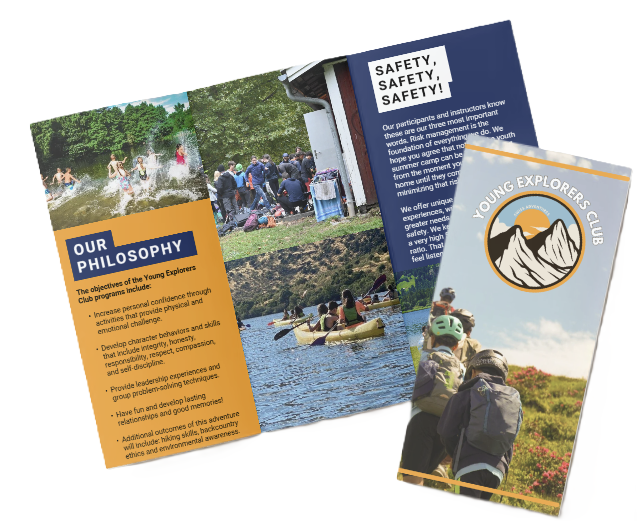

Photography Camps For Kids And Teens
Photography camps for kids & teens: hands-on projects, composition, editing and portfolio-building — Young Explorers Club programs for all ages.
Photography Camps for Kids and Teens
Overview
Photography camps transform daily screen time and social media habits into coached, project-based learning. Camp instructors teach composition, exposure, lighting, editing, and visual storytelling. Programs include age-specific curricula (7–10, 11–14, 15–18) and multiple formats: day, residential, weekend, and virtual. Clear outputs and staff and gear policies help build portfolios, exhibitions, and practical skills. We, at the Young Explorers Club, build camps that follow these methods and emphasize hands-on projects.
Key Takeaways
- Rising demand: Camps teach visual skills teens use on Instagram, YouTube, and other platforms. These skills are transferable to creative projects and career-ready portfolios.
- Core curriculum: Exposure, composition, lighting, portraiture, storytelling, and editing. Measurable outcomes include portrait series, mini-documentaries, and before/after portfolios.
- Age-appropriate learning: Offerings match age and ability. For 7–10 we focus on play and provide loaner cameras. At 11–14 we teach manual basics and run critique sessions. For 15–18 we expect advanced workflows and often ask campers to bring their own camera.
- Operational best practices: Clear gear and backup policies. Start editing on mobile and progress to desktop workflows. Keep instructor ratios around 1:6–1:10 to maintain safety and provide personalized feedback. Bring spare batteries, memory cards, and loaner gear.
- Access and transparency: Programs should publish pricing and list what’s included. Enforce consent, privacy, and accessibility practices. Reserve scholarships or subsidies to widen access.
Curriculum and Learning Outcomes
Core Modules
The camp curriculum should include hands-on modules in exposure, composition, lighting, portraiture, storytelling, and editing. Each module should end with a project that produces a tangible outcome — a portrait series, a photo essay, or a short documentary.
Measurable Outcomes
- Portfolio pieces: A set number of curated images per camper (for example, 8–12 strong images).
- Before/after edits: Demonstrated improvement in editing and technical control.
- Exhibition or screening: A final show, slideshow, or online gallery to build confidence and visibility.
Age-Specific Offerings
7–10 (Beginners)
Focus on play-based learning, basic composition, and storytelling with simple assignments. Provide loaner cameras and emphasize exploration over perfection.
11–14 (Intermediate)
Introduce manual controls, basic lighting, and structured critique sessions. Projects should encourage experimentation and peer feedback, with a focus on building a small portfolio.
15–18 (Advanced)
Expect advanced workflows, including RAW processing, multi-light setups, and longer-form visual storytelling. Encourage campers to bring their own camera where possible and to develop career-relevant projects.
Operations, Safety, and Gear
Staffing and Ratios
Maintain instructor ratios around 1:6–1:10 depending on age and activity. Clear supervision protocols and first-aid-trained staff are essential.
Gear and Backup Policies
- Loaner gear: Maintain an inventory of spare cameras, lenses, batteries, and memory cards.
- Backup plans: Procedures for lost or damaged gear and on-site spares for critical items.
- Start on mobile: Begin editing on phones or tablets and progress to desktop software as skills grow.
Consent, Privacy, and Accessibility
Publish and enforce policies around photo consent, image use, and camper privacy. Provide accessible formats, accommodations, and clear communications about what’s included in the program fee. Reserve scholarships or subsidies to increase equitable access.
Program Design and Transparency
Formats and Scheduling
Offer multiple formats — day, residential, weekend, and virtual — to meet family needs. Clearly communicate daily schedules, outcomes, and equipment lists.
Pricing and Inclusions
Publish pricing and a detailed list of what’s included (meals, gear, insurance, exhibition fees). Clear refunds, cancellation, and scholarship policies build trust with families.
Implementation Tips
- Define clear projects: Each week should culminate in a demonstrable product (gallery, zine, or short film).
- Scaffold skills: Move from simple framing and exposure to more complex lighting and editing workflows.
- Feedback loops: Include regular critiques and mentor sessions to accelerate learning.
- Community share: Host an exhibition or online gallery to celebrate student work.
If you want, I can draft a sample week-long curriculum, an equipment checklist, or a sample consent/privacy policy tailored to your camp format.
Why photography camps are growing
The youth camp market is already massive—American Camp Association (ACA) reports 14,000+ camps in the U.S. serving roughly 6–7 million children annually—so demand for specialty programs like photography follows naturally (American Camp Association (ACA)). We see parents and teens moving toward camps that teach real skills rather than just supervise free time.
Teens use visual platforms at high rates, which turns photography into a clear enrollment opportunity. YouTube reaches roughly 85% of teens, Instagram about 72% and Snapchat 69% (Pew Research Center, Teens & social platforms). Because so many teens post and consume visual content every day, camps that teach composition, mobile editing and visual storytelling connect directly to those habits and motivations.
Screen time also changes the value proposition. Teens average 7 hours 22 minutes per day on screens for entertainment (Common Sense Media). We convert that passive time into structured, creative work: shooting assignments, hands-on editing, caption and narrative craft, and portfolio creation. That swaps unstructured scrolling for measurable outputs students can show to teachers, colleges or on social profiles.
Core reasons parents enroll and teens stay engaged
Below are the practical benefits that drive enrollment and keep campers involved:
- Skills that map to daily platforms — composition, mobile editing and short-form storytelling translate directly to Instagram and YouTube use (Pew Research Center, Teens & social platforms).
- Tangible outputs — edited galleries, reels and portfolio pages give teens proof of progress and work they can share.
- Productive screen time — camps turn entertainment hours into coached skill-building and creative challenges (Common Sense Media).
- Outdoor and experiential shoots — we balance studio or mobile work with on-location shoots so technical learning happens in real environments.
- Mentorship and critique — small-group feedback accelerates visual literacy faster than solo experimentation.
- Pathways to careers and portfolios — early practice feeds interest in journalism, design, film and STEM-related imaging fields.
We help families see how photography camps fit within broader camp choices and offer guidance on selecting the right fit; read our notes on how to choose for practical selection tips.

Ages, levels and program formats (who the camps serve)
Age groups and learning goals
Below are the standard age brackets we organise and the concrete skills each group leaves camp with:
-
7–10 (intro / kids): Kids learn basic camera handling, simple composition rules, and safe outdoor behaviour. We emphasise hands-on play with point‑and‑shoots or tablets and run short supervised shoots so confidence grows fast. For safety and attention, we recommend a 1:1–1:2 camera-to-student loaner policy for this group.
-
11–14 (junior / bridge): Teens move into manual exposure basics, storytelling through sequence shots, and beginner portrait technique. We introduce selective focus, basic lens choices, and group critique sessions to build visual narrative skills. Instructor ratios around 1:6 allow real-time feedback during supervised field shoots.
-
15–18 (teens / advanced): Older teens focus on advanced exposure control, intentional lens selection, portrait lighting, commercial workflows, and portfolio preparation. We teach RAW workflows, basic retouching, and client-style briefs so students leave with work they can show. We encourage BYOC for students who own DSLR or mirrorless kits, while keeping loaners available.
Formats, session length, staffing and gear policy
We offer formats to match family schedules and learning goals. Typical options include:
-
Day camps (half-day or full-day)
-
Overnight residential programs
-
Weekend intensives
-
After-school courses
-
Virtual/online camps
-
Single-day workshops
-
Multi-week tracks
Week-long sessions are common; one week typically runs 3–5 days, though you can combine weeks for deeper projects.
When choosing a format, consider these practical trade-offs:
-
Overnight/residential camps: Let us run extended field trips, multi-day projects and evening shoots, which accelerates creative growth and strengthens peer critique. They also demand higher staffing and supervision.
-
Day camps: Suit families who need predictable drop-off and pick-up. They work well for core camera skills and short outdoor shoots.
-
Virtual camps: Lower cost and excel at theory, editing and workflow lessons, but they require reliable devices and home software.
Staffing: We staff sessions to industry best practice with instructor-to-student ratios of roughly 1:6 to 1:10 for small-group shooting and editing. That ratio supports safety, personalised critique and faster technical skill gains, and it helps explain pricing differences between large, lecture-style classes and small hands-on workshops. For younger kids we recommend a 1:1–1:2 camera-to-student loaner policy so nobody’s left waiting. For older teens we allow bring-your-own-camera (BYOC) with loaners on hand when gear is missing.
We, at the Young Explorers Club, help families match format and intensity to goals; if you want guidance on picking the right option, see our page to choose the best camp for practical tips and comparisons.
What students learn, sample projects and daily structure
Curriculum modules and learning targets
We, at the Young Explorers Club, teach a compact program that covers every practical area a budding photographer needs. The core modules are:
- Camera basics — exposure triangle: aperture, shutter speed and ISO, plus metering and focus modes. Target: 80% of campers can manually set exposure after one week (example target).
- Composition — rule of thirds, leading lines, framing, and balancing elements.
- Lighting — reading natural light, simple reflectors, and basic on-camera flash techniques.
- Portraiture — posing, connection, and background control for expressive headshots and environmental portraits.
- Landscape — depth, foreground interest, and using light to sculpt scenes.
- Photojournalism/storytelling — sequencing, captions, and building a mini narrative with images.
- Editing/post-processing — import, crop, exposure/color adjustments, selective edits, and export for web/print.
- Printing & exhibition — preparing files for print, mounting basics, and gallery presentation.
I keep module lessons short and practical. Each morning includes a focused lesson followed by an immediate field task so kids apply concepts while they’re fresh. We emphasize creativity and problem-solving during every shoot to build visual thinking as well as camera skill.
Sample projects, measurable outcomes and daily structure
Typical measurable outcomes and project examples I assign include:
- Portrait series (5–10 finished images).
- Mini documentary (3–5 photos with captions).
- Weekly photo-walk assignments.
- Final group exhibition or online gallery.
For output targets I use clear ranges: intermediate/advanced students typically produce 20–50 edited images per week as finals; beginners will capture far more RAW frames but deliver fewer fully edited images while they learn the workflow.
Example measurable targets I track:
- 80% manual exposure competence after week 1 (classroom test + field check).
- Completion of a 5‑image portrait series that meets a critique rubric standard.
- A before/after portfolio showing visible improvement in composition and tone control for every camper.
Sample full-day schedule (one-week program, example day):
- 9:00–9:30 AM: Welcome, tech check and brief lesson intro (camera basics).
- 9:30–11:00 AM: Outdoor shoot — composition challenge and mentor feedback.
- 11:00–12:00 PM: Editing workshop — import, basic adjustments and presets.
- 12:00–1:00 PM: Lunch and gear-care demo (battery, card handling, cleaning).
- 1:00–2:30 PM: Project work — portrait or documentary assignments with models or subjects.
- 2:30–3:00 PM: Critique & wrap-up — group review using standardized rubric.
Lesson timing guidance for Day 1
- Morning camera basics: 1 hour (slides + hands-on controls).
- Field shoot: 1.5 hours with short prompts and checkpoints.
- Midday editing demo: 1 hour showing import-to-export workflow.
- Final critique: 30 minutes with peer + instructor feedback.
I use one standardized critique rubric for all projects so results stay measurable and parents can compare progress easily. The rubric covers exposure control, composition, creativity, technical editing and story clarity. I also require before/after portfolios for every student to demonstrate growth in a format that’s easy to share with parents.
For assessment and exhibition I recommend a mix of printed work and an online gallery. The final show is both a motivator and a practical lesson in preparing files for different outputs.

Equipment, accessories and editing tools
We, at the young explorers club, group kit by ability and purpose so instructors can match gear to learning goals. We keep one clear aim: safe, reliable equipment that still teaches photographic technique.
Recommended gear by use-case (cameras, lenses & accessories)
Below are our go-to options for different ages and activities — we pick durable entry models for beginners and higher-performance bodies for teens who want creative control.
- Entry-level DSLR / Mirrorless: Canon EOS Rebel T7 (EOS 2000D), Canon EOS Rebel T8i, Nikon D3500, Nikon D5600
- Mirrorless & compact for teens: Sony a6000 / a6100, Fujifilm X-T30, Canon EOS M50 Mark II
- Point-and-shoot / waterproof: Canon PowerShot G9 X / PowerShot SX series, Nikon COOLPIX W150
- Action cameras: GoPro HERO8, GoPro HERO9
- Instant cameras: Fujifilm Instax Mini 11, Polaroid Now
- Smartphone cameras: recent iPhone and Android models; clip-on lenses such as Moment
- Lenses & essentials:
- Kit zoom 18–55mm for general use
- Fast prime 50mm f/1.8 for low-light portraits and background blur
- Wide-angle 10–18mm (APS-C) or 16–35mm (full frame) for landscapes and tight interiors
- Telezoom 70–200mm for compression and distant portraits
- Tripods: Manfrotto Compact Action, Joby GorillaPod for creative angles
- External flashes: Canon Speedlite, Nikon SB series plus basic bounce card or diffuser
- Memory cards: Class 10 / UHS-I (16–32GB minimum), spare batteries, camera straps, lens cleaning kits
We emphasize the 50mm f/1.8 as a teaching tool. It forces composition choices, performs well in low light, and gives visible background separation — a fast, inexpensive way to teach aperture and subject isolation. Wide-angle lenses teach foreground-to-background storytelling and are great on Swiss landscape days.
We separate student kits into beginner-friendly, durable options and higher-performance gear for advanced campers. Rugged cases, wrist straps and clear handling rules reduce damage and lost gear. We fit waterproof point-and-shoots for lake and stream sessions so kids can photograph outdoors without constant worry.
For flashes and lighting, we teach bounce techniques over direct flash. A small bounce card or diffuser softens light and shows how modifiers affect skin tones. Tripods are mandatory for night-sky and long-exposure workshops; GorillaPods also expand creative possibilities for vlogging and low-angle shots.
Editing software and workflows
We keep editing simple for beginners and expand complexity as students progress. Recommended apps and programs by level follow this progression:
- Beginner / mobile — Snapseed, VSCO, Adobe Lightroom Mobile, Canva
- Intermediate / desktop — Adobe Lightroom Classic, Adobe Photoshop Elements, Affinity Photo
- Advanced / industry — Adobe Photoshop CC + Lightroom Classic, Capture One, DxO PhotoLab
- Free alternatives — GIMP, Darktable, RawTherapee
We teach a compact workflow that translates across tools:
- Import
- Cull / select
- Basic adjustments (exposure, contrast, white balance)
- Lens corrections
- Local adjustments
- Export
- Backup
We show keyboard shortcuts, batch edits in Lightroom, and simple masking techniques in mobile apps so students can finish a polished image quickly.
Operational notes and logistics
We run a loaner system to broaden access while protecting school kit. Our sample policy requires a signed waiver, a refundable deposit, and optional insurance for high-value items. We keep at least one spare camera for every 4–8 students to cover failures and busy schedules. We encourage BYOC sessions but require durable cases and wrist straps when personal devices are used.
Memory management is non-negotiable: we instruct on regular offloads to a laptop or portable SSD and maintain a two-copy backup rule during camp. Cards should be fast UHS-I and you should carry spare batteries for each active camera body.
Teaching tips we use on camp
- Start with auto/scene modes to build confidence, then switch to aperture-priority to teach depth of field.
- Use prime lenses to limit focal length and force compositional thinking.
- Rotate gear: let groups spend a morning with action cameras, an afternoon with primes, and an evening with tripods to sample skills.
- Keep a basic repair kit on hand (tape, hex keys, spare strap) and label every piece of equipment.
For parents planning which camp gear to bring, see our short guide to the selection of the best summer camps for context on activity types and how we match kit to programming.

Pricing, budgeting, scholarships and sample operator model
We, at the young explorers club, price photography programs to reflect instruction quality, gear access and real-world learning. Typical U.S. ranges I use when planning camps are: day specialty camps $200–$600 per week (half-day to full-day); overnight/residential specialty camps $800–$1,500+ per week; weekend intensives $75–$300 per day; virtual/online camps $50–$300 per week depending on live instruction and feedback. I weigh those brackets against local market rates and the level of instructor expertise I offer.
Transparency makes enrollment decisions easier. I always publish what’s included — cameras, memory cards, prints, field trips — and what’s optional, such as meals, transportation or advanced editing software. Parents should compare cost per hour of instruction and the student:instructor ratio, not just the headline price. That metric often reveals greater value for camps charging more but delivering smaller groups and intensive feedback.
Cost drivers and a sample week budget
Below I list the principal cost drivers and then show a realistic one-week day-camp model you can adapt.
- Major cost drivers I track:
- Instructor expertise and credentials
- Instructor:student ratio (smaller groups raise costs)
- Included equipment and amortization of cameras and lenses
- Field trips, location fees and permits
- Insurance, certifications and facility rental
- Marketing, admin and on-site supplies
Sample per-week budget (one-week day camp, example):
- Revenue: 16 students × $400 = $6,400
- Instructors: $1,600 (assumes $20/hr × 2 instructors × 40 hours)
- Facility rental: $800
- Equipment amortization: $400
- Insurance/permits: $200
- Marketing: $300
- Supplies/printing: $200
- Admin: $300
- Total expenses ≈ $3,800
- Net before contingency ≈ $2,600
That net lets me justify competitive instructor pay and maintain a scholarship pool. I typically build a 10–20% contingency into pricing to cover unexpected costs and last-minute staffing. I also recommend setting aside a scholarship allocation equal to 5–15% of spots to increase access and diversify enrollment.
I handle scholarships by including the fund in the operating budget and by offering partial subsidies rather than full rides in most cases. That approach stretches impact across more families while keeping the program financially stable. If you want a practical example of program selection and family considerations when comparing camps, consult our roundup of best summer camps for context.
https://youtu.be/9212RDUdrJw
Safety, permissions, inclusion and outreach
We require completed paperwork before a child handles a camera or heads out on a field shoot. Our intake packet includes signed waivers, photo/video release forms, emergency contact details and medical forms. Staff clearances and emergency readiness are non-negotiable.
Required policies and staff qualifications
- Enrollment paperwork: signed liability waiver, media release, emergency contact, and detailed medical form.
- Background checks: all instructors and assistants undergo background screening consistent with state guidelines; we renew checks on a regular schedule.
- Certifications: a minimum of one CPR/First Aid–certified staff member per group and additional staff trained in basic wilderness first aid for off-site shoots.
- Training checklist: child protection, equipment safety, behavior management, and field-trip protocols documented and reviewed each season.
- Device and loaner policy: written loaner agreement with waiver, deposit requirements, and suggested insurance for accidental damage or loss.
- Privacy safeguards: written social-media policy, explicit consent records for public posting, and procedures for portrait project privacy.
We keep those lists current and visible to families during registration.
Digital safety and consent
We set clear rules for online sharing and keep parents informed. Our social-media policy spells out who may post, where images appear, and how long they stay online. Families give explicit consent for public posting; we never assume it. For portrait projects we offer opt-outs and private-gallery options.
Sample consent language you can use when communicating with parents:
“I authorize Young Explorers Club to use photos and videos of my child for educational purposes and promotional materials, including the website, social media, and public exhibitions. I understand images may be shared online and agree to these uses. I may revoke this consent in writing at any time.”
We archive consent forms and tag each image with permission status.
Accessibility, inclusion and outreach
We adapt gear and lessons so every student can participate. Offerings include adaptive equipment, accessible materials, and staff adjustments to meet diverse needs.
- Adaptive camera mounts and simplified controls.
- Larger-text handouts and closed captions on video lessons.
- Staff adjustments to pacing and sensory inputs for neurodiverse students.
- Inclusive marketing that uses imagery and language reflecting diverse participants.
- Accessible field-trip routes and camera grips for limited mobility.
Financial inclusion and partnerships
We set aside 5–15% of spots for subsidized tuition and actively partner with community centers and Title I schools. Scholarships cover tuition and, where possible, travel or equipment costs. We cultivate long-term relationships with local NGOs to expand access each season.
Outreach tactics we use
- Free demo classes at libraries and community events to lower the entry barrier.
- Teacher discount codes to encourage school-based enrollments.
- Partnerships with local schools, libraries, youth centers and maker spaces to reach families who might not otherwise hear about us.
- These outreach steps also show how camps encourage creativity while teaching practical skills.
Operational recommendations and measurement
Require staff to complete a training checklist before working independently. Include core modules and maintain clear policies for devices and loaners.
- Training modules: child protection, equipment safety, emergency response, and ethical image use.
- Personal device rules: for camps permitting personal devices, enforce account privacy, location-sharing limits, and controls on in-app purchases.
- Loaner policy: maintain a sample policy outlining liability, deposits, and recommended insurance coverage.
- Track diversity and accessibility: record socioeconomic indicators and the accessibility accommodations provided.
- Quarterly review: review these metrics quarterly and report aggregate findings to funders and partners.

Below are authoritative sources and product pages referenced for the statistics, pedagogy, equipment, software, and safety guidance included in the photography camps overview.
Sources
American Camp Association — Fast Facts about Camps
American Camp Association — Safety & Health
Pew Research Center — Teens, Social Media & Technology (2018)
Common Sense Media — The Common Sense Census: Media Use by Tweens and Teens (2019)
National Endowment for the Arts — The Arts and Achievement in At-Risk Youth
Adobe — State of Create (creative trends & research)
Adobe — Lightroom Classic (product & workflow guidance)
Canon USA — EOS Rebel T7 EF‑S 18‑55 IS STM Kit (product page)
Nikon USA — D3500 (product page)
Sony — Alpha a6000 (ILCE‑6000) product page
Fujifilm — INSTAX Mini 11 (product page)
GoPro — HERO9 Black (product page)